
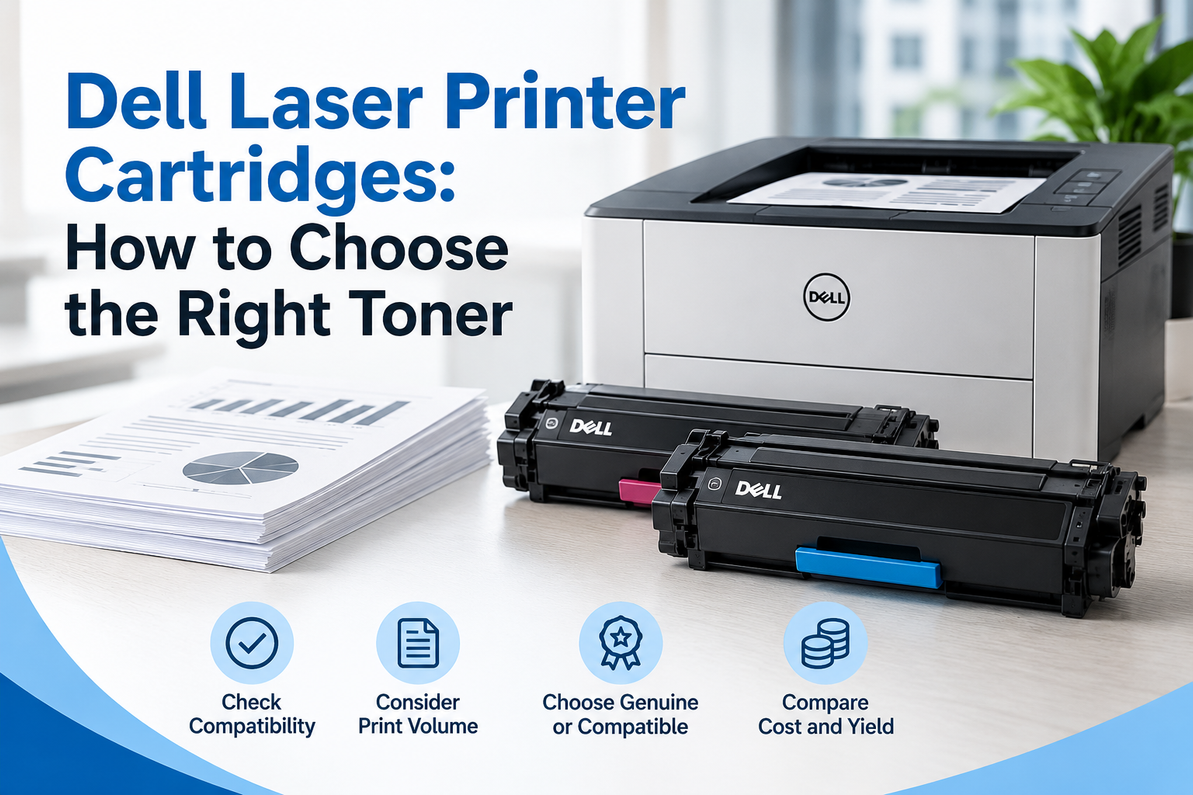
Dell Laser Printer Cartridges: How to Choose the Right Toner
At some point, every office using a Dell laser printer has to replace the toner. The printer may have been working perfectly for months, and then the text starts looking lighter, black areas lose their depth, or a toner warning appears on the display.
That's normal. Toner is a consumable, and eventually it needs to be replaced.
The harder part is figuring out which Dell laser printer cartridge to buy. Dell has produced a range of laser printers, and their cartridges aren't interchangeable simply because they carry the same brand name. The right replacement depends on your specific printer model, cartridge number, color requirements, and how much you print.
So instead of guessing based on a product photo or a familiar-looking cartridge, here's what actually matters when you're buying Dell toner.
Start With Your Dell Printer Model
The easiest mistake to make is shopping for toner by brand instead of by printer model.
Knowing that you have a Dell laser printer isn't enough. The exact model is what tells you which cartridge belongs in the machine.
You can usually find the model number on the printer itself, in the original documentation, or through the printer's settings or information menu. Once you have that number, look for the toner cartridge specifically designed for that model.
This matters because Dell has used different cartridge numbers across its printer generations. Two printers can perform similar jobs and still require completely different toner cartridges.
If you're unsure, check the model first. It takes a couple of minutes and can save you from ordering a cartridge that doesn't fit or isn't recognized by the printer.
What to Check Before Buying Dell Toner
Once you know the printer model, there are a few other details worth checking.
Printer model: Make sure the cartridge is compatible with the exact Dell printer you own.
Cartridge number: Match the replacement cartridge number to the one specified for your printer.
Color: Determine whether you need black toner or a specific color cartridge.
Page yield: If your office prints heavily, a higher-yield cartridge may reduce how often you have to replace toner.
Cartridge type: Check whether you're buying a genuine OEM cartridge or a compatible alternative.
None of this is complicated. The important thing is simply not to skip the compatibility check.
When Is It Time to Replace Dell Toner?
Most Dell laser printers will give you some warning before the toner is completely exhausted. Depending on the model, you may see a low-toner message or another notification on the printer's display.
Print quality can also tell you what's happening.
You may notice:
- Text becoming lighter or gray
- Black areas looking less solid
- Uneven toner coverage
- Pages becoming increasingly faint
- Reduced contrast between text and the paper
- A toner-related warning from the printer
If those symptoms appear across multiple pages, toner is a reasonable place to start.
But here's something people sometimes get wrong: not every print-quality problem means the toner is empty.
Repeated lines, spots, streaks, ghost images, or other recurring marks can come from another part of the printer's imaging system. If a new toner cartridge doesn't solve the problem, the printer may need additional maintenance.
OEM vs. Compatible Dell Cartridges
When it's time to replace Dell toner, you'll generally have two choices: an OEM cartridge or a compatible cartridge.
An OEM cartridge is manufactured by the original equipment manufacturer and designed according to the specifications of the printer it supports. For businesses that put a high priority on predictable performance, OEM toner can be the straightforward option.
Compatible cartridges are produced by third-party manufacturers and designed to work with specific Dell printers. The main attraction is usually price. A compatible cartridge can cost less than an OEM equivalent, which can make a difference for offices with high printing volumes.
But price shouldn't be the only thing you look at.
The quality of compatible cartridges varies between manufacturers and suppliers. Cartridge construction, toner formulation, page yield, and overall consistency can all differ.
So if you're considering a compatible Dell toner cartridge, check the supplier and the cartridge specifications rather than assuming every compatible product will perform the same way.
Match Toner Yield to How Much You Print
The number of pages your office prints each month should have some influence on the cartridge you choose.
If your printer handles only occasional documents, a standard-yield cartridge may be perfectly reasonable. If employees are printing hundreds or thousands of pages every month, a higher-yield option may be more convenient because you won't have to replace the cartridge as frequently.
There's one important detail to remember, though: advertised page yields are based on standardized testing conditions. Your actual results can vary.
A page containing mostly text generally uses less toner than one covered with large graphics, images, or heavy black areas. So treat the published yield as a useful comparison rather than a guarantee of exactly how many pages your office will print.
A Simple Way to Manage Dell Printer Supplies
Managing toner doesn't have to become another complicated office task.
Start by keeping track of which cartridges your printers use and how frequently they need replacement. If a printer is used regularly, keeping one unopened replacement cartridge available can prevent an unnecessary interruption when the installed cartridge reaches the end of its life.
There's also a simple storage rule worth following: keep replacement cartridges in their original packaging until you're ready to install them. Avoid unnecessary exposure to heat, moisture, or other conditions that could affect the cartridge.
For businesses with several Dell printers, keeping a basic list of printer models and their corresponding cartridge numbers can make purchasing much easier.
Instead of waiting until someone says, "The printer is out of toner," your team already knows exactly what needs to be ordered.
Why Toner Quality Matters to Businesses
Toner is only one part of the overall cost of running an office printer, but unreliable toner can create costs that aren't shown on the cartridge price.
A poor-quality cartridge can result in faded documents, inconsistent coverage, reprints, and time spent troubleshooting. If employees can't get a usable document from the printer, normal work can be delayed.
That becomes especially important when documents are going directly to customers, suppliers, government agencies, or business partners.
Consistent toner performance helps maintain clean, professional-looking documents without requiring employees to repeatedly adjust or reprint them.
That's why choosing the correct cartridge and buying from a reliable supplier are both worth considering.
Buying Dell Laser Printer Cartridges From T3RS
T3RS provides printer supplies for businesses, offices, schools, and organizations that depend on reliable printing equipment.
When buying a Dell laser printer cartridge, start with your printer model and the cartridge number currently specified for the machine. That gives you a much better starting point than searching only for "Dell toner."
T3RS can help businesses identify the appropriate printer supplies for their equipment and ongoing printing needs.
For organizations managing several printers, having the correct replacement toner available before the current cartridge runs out can also make routine printer maintenance much easier.
FAQ
How do I find the right Dell toner cartridge?
Start with the exact Dell printer model. Then check which cartridge number is recommended for that machine before ordering.
How do I know when my Dell toner is low?
Your printer may display a low-toner warning. Faded or lighter text and reduced print contrast can also indicate that the cartridge is approaching replacement.
Are high-yield Dell toner cartridges worth it?
They can be useful for offices with high printing volumes because they are designed to produce more pages under standardized testing conditions. Actual yield depends on what you print.
Can I use a compatible toner in a Dell laser printer?
Compatible cartridges are available for many Dell printers, but they must be specifically designed for your printer model. Always verify compatibility before purchasing.
Why does my Dell printer still have print problems after changing the toner?
Not every print-quality problem is caused by toner. Persistent lines, spots, streaks, or ghost images may indicate an issue with another printer or imaging component.
Should I keep a spare Dell toner cartridge?
If the printer is used regularly, keeping one replacement cartridge on hand can help prevent interruptions when the installed cartridge reaches the end of its usable life.
Keep Your Dell Printer Ready for the Next Job
A reliable laser printer is only as useful as the supplies supporting it. When the toner is correct for the machine, your printer can continue producing the clear, consistent documents your business needs.
Before ordering a Dell laser printer cartridge, check the exact printer model, confirm the cartridge number, and choose the cartridge type that makes sense for your printing volume and budget.
T3RS offers printer supplies for businesses and organizations that need dependable replacements. Check compatibility first, keep the appropriate toner on hand, and you'll be in a much better position when the next cartridge reaches the end of its life.
Recent Posts
-
Samsung Printer Ink: Choosing the Right Toner for Your Printer
If your Samsung printer has suddenly started producing pale text, uneven graphics, or documents that …20th Oct 2026 -
Dell Laser Printer Cartridges: How to Choose the Right Toner
At some point, every office using a Dell laser printer has to replace the toner. The printer may hav …18th Oct 2026 -
MFP M283fdw Toner – Compatible & Quality Cartridges
The HP Color LaserJet Pro MFP M283fdw is designed for offices that need more than basic printing. Th …14th Oct 2026