
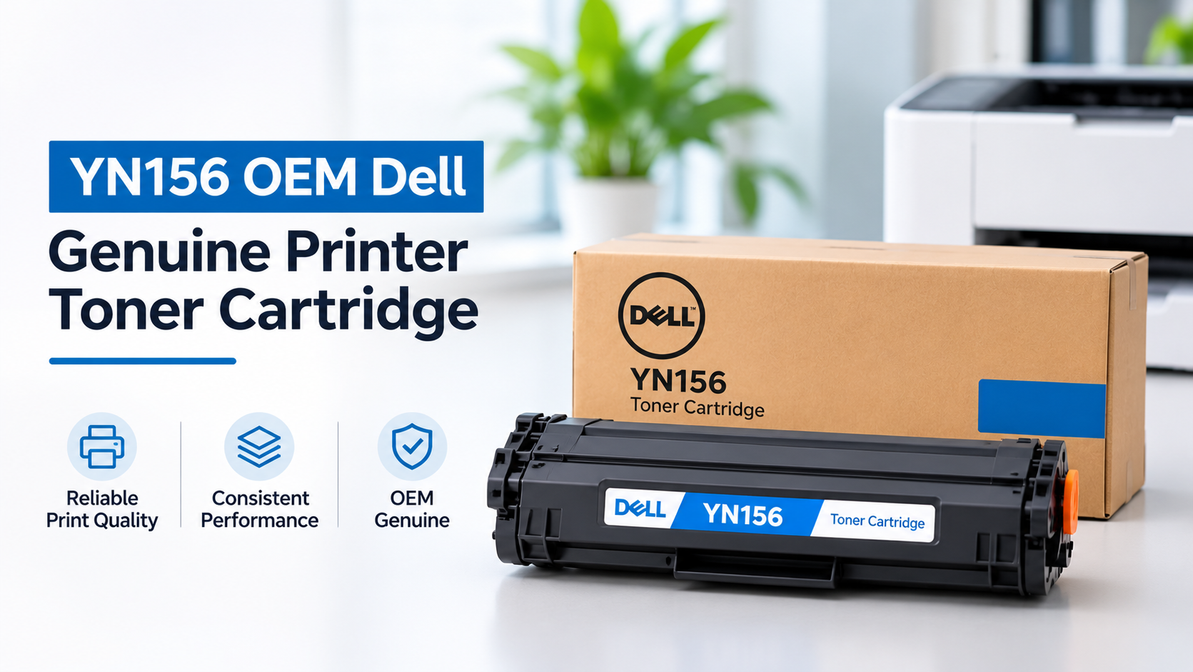
YN156 OEM Dell – Genuine Printer Toner Cartridge
Printer toner is an essential office supply, but it is often overlooked until a cartridge starts running low in the middle of an important printing task. Faded text, toner warnings, and inconsistent print quality can quickly interrupt everyday business operations.
For users of compatible Dell laser printers, choosing the correct cartridge is important for maintaining consistent and reliable printing. The YN156 OEM Dell toner cartridge is designed for compatible Dell printers and provides an original equipment manufacturer (OEM) option for customers who prefer genuine Dell printer supplies.
For businesses that regularly print reports, invoices, forms, administrative documents, and other professional materials, selecting the correct toner cartridge can help maintain clear and consistent print output.
Why OEM Matters for Printer Toner
OEM stands for Original Equipment Manufacturer. An OEM toner cartridge is manufactured by the printer manufacturer or produced according to the manufacturer's specifications for compatible equipment.
Choosing an OEM cartridge can be an important consideration for businesses that prioritize compatibility, consistent print performance, and the use of manufacturer-specified supplies.
The YN156 OEM Dell cartridge is intended for customers looking for a genuine Dell toner option rather than a third-party compatible alternative.
For offices that depend on regular document printing, using the correct OEM cartridge can also simplify printer-supply management. Once the appropriate cartridge number has been identified, businesses can reorder the same product when the toner needs to be replaced.
Don't Order by Brand Alone
One common mistake when purchasing printer toner is assuming that every cartridge from the same brand will work with every printer from that manufacturer.
This is not the case.
Different Dell laser printers can require different toner cartridges, even when the cartridges are designed for the same brand.
The YN156 OEM Dell is a specific cartridge, so its compatibility should always be confirmed against the exact Dell printer model before purchasing.
Before ordering, check:
- Your Dell printer model
- The cartridge or part number
- The compatibility information provided by the supplier
- The label on your existing toner cartridge
- The printer manufacturer's documentation or support information
If you still have the existing cartridge, checking its part number can be one of the easiest ways to identify the correct replacement.
Taking a few minutes to verify these details can help prevent the inconvenience of ordering a cartridge that is not suitable for your printer.
When Your Dell Printer Needs a New Cartridge
A toner cartridge will usually provide several signs when it is approaching the end of its usable life.
Common indicators include:
- Black text becoming lighter
- Printed graphics losing density
- Inconsistent print quality from page to page
- A toner warning appearing on the printer
- Large black areas appearing uneven
- Overall print quality gradually declining
If the printer is displaying a low-toner warning and the print quality has deteriorated, replacing the cartridge may resolve the issue.
However, not every print-quality problem is caused by toner. Repeated marks, streaks, smudges, ghost images, or other unusual printing defects can also be related to imaging components, paper, printer settings, or other maintenance requirements.
If replacing the toner does not resolve a persistent issue, further troubleshooting may be necessary.
OEM Toner for Everyday Business Documents
The benefits of a genuine OEM cartridge can be particularly important in environments where consistent printing is part of everyday business operations.
A company may print dozens or hundreds of documents each week, including:
- Customer documents
- Invoices
- Order information
- Shipping documents
- Financial records
- Administrative forms
- Internal reports
- Business correspondence
Clear and consistent print quality helps ensure that these documents remain easy to read and professional in appearance.
For organizations that standardize their printer supplies, recording the correct cartridge number can make future toner purchases easier. Once the YN156 OEM Dell cartridge has been confirmed as compatible with the relevant printer, the same cartridge can be reordered when replacement is required.
Getting Better Value From Your Toner
How long a toner cartridge lasts depends largely on what you print and how frequently you use the printer.
Simple text-based documents generally use less toner than pages containing large graphics, images, or heavy areas of black.
Actual cartridge life can therefore vary depending on:
- Printing frequency
- Document type
- Amount of toner coverage
- Print settings
- Printer model
- Cartridge specifications
To manage toner effectively, businesses can monitor how frequently cartridges are replaced and identify which printers consume toner most quickly.
For printers that are used extensively, keeping an unopened replacement cartridge available can help reduce interruptions when the installed cartridge reaches the end of its supply.
Unused toner cartridges should remain in their original packaging until they are needed. Proper storage can help protect the cartridge before installation.
OEM vs. Compatible: Understanding the Difference
OEM and compatible toner cartridges are two different options available to printer users.
OEM cartridges are genuine products manufactured by the printer brand or produced according to its specifications.
Compatible cartridges are manufactured by third-party suppliers for use with specific printer models. They can provide an alternative option for businesses that are focused on managing printing costs.
The YN156 OEM Dell cartridge represents the OEM option for customers who prefer a genuine Dell toner cartridge for a compatible Dell printer.
For customers who specifically want OEM supplies, checking the exact part number is important. Searching only for a generic term such as “Dell compatible toner” may return several different products that are not suitable for the same printer.
A Better Way to Manage Recurring Toner Orders
Businesses with multiple printers can simplify toner purchasing by maintaining a basic record of their printer supplies.
Consider keeping track of:
- Printer model
- Cartridge number
- Color
- Standard or high-yield designation, where applicable
- Average replacement frequency
- Current toner stock
This information can make it easier for employees or purchasing teams to identify the correct cartridge when a replacement is required.
Without this information, someone may know that a printer needs “Dell toner” but still be unsure about the exact cartridge number.
For frequently used printers, keeping at least one suitable replacement cartridge in stock can also help prevent unexpected interruptions to business printing.
YN156 OEM Dell Toner From T3RS
T3RS supplies printer consumables for businesses, offices, schools, and organizations that rely on regular printing.
Customers looking for the YN156 OEM Dell toner cartridge should confirm the exact Dell printer model and cartridge part number before placing an order.
Choosing the correct OEM toner can help simplify recurring printer-supply purchases and support consistent document printing.
For businesses that depend on reliable laser printing, maintaining an organized toner supply can also make inventory management easier and reduce the risk of running out of toner during an important print job.
Frequently Asked Questions
What is the YN156?
YN156 is a Dell toner cartridge part number that identifies a specific printer supply. It should always be matched with the appropriate compatible Dell printer model before purchase.
Is the YN156 an OEM cartridge?
The YN156 OEM Dell product is positioned as a genuine Dell OEM toner cartridge rather than a third-party compatible cartridge. Always verify the product specifications and compatibility information before ordering.
How do I know if YN156 fits my Dell printer?
Check your exact Dell printer model and compare it with the cartridge's compatibility information. You can also check the part number on your existing cartridge or consult the printer documentation.
Why is my Dell printer producing faded text?
Low toner is one possible reason for faded text. Other causes can include printer settings, paper quality, imaging components, or maintenance issues. If replacing the toner does not resolve the problem, further troubleshooting may be required.
Should I keep a spare YN156 cartridge?
If your compatible Dell printer is used regularly, keeping an unopened replacement cartridge available can help reduce interruptions when the installed cartridge runs out.
How should I store an unused toner cartridge?
Keep the cartridge in its original packaging and store it in a clean, dry environment. Protect it from excessive heat, moisture, and direct sunlight, and follow the manufacturer's storage recommendations.
Keep Your Dell Printer Supplied With the Right Toner
Choosing the correct toner cartridge is an important part of maintaining a reliable printer workflow. For customers who prefer genuine Dell printer supplies, the YN156 OEM Dell toner cartridge provides an OEM option for compatible Dell laser printers.
Before ordering, always verify your Dell printer model and cartridge part number to ensure compatibility.
For businesses, offices, schools, and organizations with regular printing requirements, maintaining the right toner supplies can help reduce unexpected interruptions and make recurring printer maintenance easier.
Shop the YN156 OEM Dell toner from T3RS and choose the right genuine toner solution for your compatible Dell printer.
Recent Posts
-
YN156 OEM Dell – Genuine Printer Toner Cartridge
Printer toner is an essential office supply, but it is often overlooked until a cartridge starts run …2nd Nov 2026 -
HP Black High Yield InkJet – Long-Lasting Ink for Everyday Printing
Running out of black ink in the middle of an important printing job can be frustrating, especially w …29th Oct 2026 -
HP Color LaserJet Toner – Quality Toner Cartridges for Consistent Color Printing
Clear and consistent color printing is important for businesses, offices, schools, and organizations …25th Oct 2026