

OEM Epson Cyan Ink – Genuine Epson Ink Cartridge
Cyan is one of the four primary colours used in colour inkjet printing. Along with magenta, yellow, and black, cyan helps produce a wide range of colours for photographs, graphics, presentations, marketing materials, and everyday documents.
When cyan ink begins to run low, the change may not always be immediately noticeable. Blue shades can appear less vibrant, green tones may look different, and photographs can lose some of their original colour balance.
For Epson inkjet printer users, choosing the correct OEM Epson Cyan Ink cartridge can help maintain consistent colour output and reliable printing performance.
A genuine Epson cartridge is designed for compatible Epson printers, which makes identifying the correct cartridge number important before placing an order.
Cyan Is More Important Than It Looks
Cyan is sometimes thought of simply as a light blue shade, but it plays an important role in colour reproduction.
Colour inkjet printers combine cyan with magenta, yellow, and black in carefully controlled amounts to create different colours. As a result, a shortage of cyan can affect much more than blue areas of a document.
Cyan contributes to:
- Blue text and graphics
- Green tones
- Photographic colours
- Charts and illustrations
- Marketing materials
- Backgrounds and design elements
- Subtle colour transitions
When one of the primary ink colours becomes low or inconsistent, the printer may no longer be able to reproduce colours as accurately as intended.
This is why using the appropriate cyan cartridge is important for users who depend on consistent colour printing.
What Makes OEM Epson Ink Different?
OEM stands for Original Equipment Manufacturer. An OEM ink cartridge is manufactured by the original printer manufacturer or produced according to the manufacturer's specifications for compatible equipment.
For customers who prefer genuine Epson consumables, OEM Epson Cyan Ink provides an option specifically intended for compatible Epson printers.
Genuine ink can be particularly important when colour accuracy and consistency matter. Businesses, photographers, designers, and marketing teams may need colours to remain consistent across different printing jobs.
Using the correct Epson cartridge can also make troubleshooting easier. If the cartridge is known to be the genuine product specified for the printer, it can simplify the process of identifying the source of a printing problem.
The Right Cartridge Depends on Your Epson Printer
There is no universal Epson cyan cartridge that works with every Epson inkjet printer.
Epson produces many different printer families, and cartridge numbers vary between models. Some printers use individual cartridges for each colour, while others may use different cartridge configurations.
Before purchasing OEM Epson Cyan Ink, check the following:
Your Printer Model
Look at the printer body, control panel, or computer settings to identify the exact model.
The Cartridge Number
Check the existing cartridge or Epson documentation for the correct cartridge number.
The Colour Designation
Make sure the replacement cartridge is specifically identified as cyan.
The Cartridge Family
Epson cartridge numbers are model-specific. A cyan cartridge designed for one Epson printer may not work with another Epson model.
Checking these details before purchasing can help prevent ordering the wrong cartridge and avoid unnecessary delays.
How Low Cyan Ink Can Affect Your Prints
Cyan ink does not necessarily go from full to empty without warning. You may notice gradual changes in colour quality as the cartridge approaches the end of its usable supply.
Common signs of low cyan ink include:
- Blue areas appearing less saturated
- Green shades looking different
- Photographs losing some colour balance
- Graphics appearing less vibrant
- Certain shades appearing warmer or weaker
- A low-ink notification appearing on the printer
If replacing the cyan cartridge does not resolve the issue, the cause may be related to another part of the printing system.
Printhead condition, alignment, paper selection, printer settings, or other printer components can also affect colour output.
Therefore, replacing the cartridge is an important first step when cyan ink is low, but persistent print-quality issues may require additional troubleshooting.
Genuine Epson Ink for Colour-Critical Printing
Not every printing task requires the same level of colour consistency.
Printing an internal memo is different from producing a customer-facing presentation, marketing material, photograph, or branded document. When colour accuracy and consistency are important, the quality and compatibility of the ink can become an important consideration.
OEM Epson Cyan Ink is designed for compatible Epson printers and can be a suitable option for users who prefer genuine manufacturer supplies.
It may be particularly relevant for:
- Photographers
- Creative professionals
- Marketing teams
- Small businesses
- Schools and universities
- Offices producing presentations
- Businesses printing branded materials
Using the appropriate ink cartridge helps the printer's colour system operate as intended and can support consistent results across different printing tasks.
Individual Colour Cartridges Can Reduce Waste
Many Epson inkjet printers use separate cartridges for cyan, magenta, yellow, and black.
This configuration offers a practical advantage: when one colour runs out, you can generally replace that individual cartridge instead of replacing every colour cartridge.
For example, if the cyan cartridge reaches its replacement point while the magenta and yellow cartridges still contain ink, only the cyan cartridge needs to be replaced.
Individual colour cartridges can therefore be convenient for users who print a mixture of text, graphics, photographs, and other colour documents.
However, cartridge configurations vary by printer model, so always check your specific Epson printer before purchasing replacement ink.
Don't Ignore the Paper You're Using
Ink is only one part of the final printing result. The type and quality of paper can also influence how colours appear on the finished page.
Standard office paper can be suitable for everyday documents, while photo paper or specialty media may be more appropriate for photographs, presentations, marketing materials, and other colour-critical applications.
If your printed colours do not look as expected, check the paper type and printer settings before assuming that the cartridge is the problem.
Selecting the correct paper setting allows the printer to adjust how ink is applied to the page and can help produce more consistent results.
Getting More Consistent Results From Epson Ink
A few simple practices can help maintain your printer and ink system.
Keep unused cartridges sealed in their original packaging until they are needed. Store them in a suitable environment and protect them from excessive heat and direct sunlight.
Regular printer use may also help maintain some inkjet printing systems. Extended periods without printing can sometimes contribute to maintenance issues, depending on the printer.
When replacing an ink cartridge, follow the Epson installation instructions and avoid forcing the cartridge into position.
After installation, allow the printer to complete any required setup or alignment process before starting an important print job.
For colour-critical work, using the appropriate paper, printer settings, and colour-management options can be just as important as selecting the right ink cartridge.
Why Genuine Ink Can Matter to Businesses
For many businesses, colour printing is part of their visual identity. Logos, marketing materials, presentations, graphics, and branded documents often need to maintain a consistent appearance.
An inconsistent cyan cartridge can affect the appearance of mixed colours throughout a document. Blue and green areas may look different, while photographs and graphics may lose some of their intended colour balance.
Using genuine Epson ink can provide businesses with a cartridge specifically intended for compatible Epson printers.
For organizations that prioritize consistent printing and prefer manufacturer-specified supplies, OEM ink can be a practical choice for routine colour printing.
Find OEM Epson Cyan Ink at T3RS
T3RS supplies printer consumables for businesses, offices, schools, and other organizations that rely on dependable printing equipment.
If you are looking for OEM Epson Cyan Ink, the first step is to confirm that the cartridge is suitable for your specific Epson printer.
Check your printer model, cartridge number, and colour designation before ordering to help ensure that you receive the correct product.
T3RS can help customers identify printer-supply requirements based on their specific equipment and printing needs, whether they require a replacement cyan cartridge or other Epson ink supplies.
Frequently Asked Questions
What is Epson Cyan Ink used for?
Cyan is one of the primary colours used by Epson colour inkjet printers. It combines with magenta, yellow, and black to reproduce blue and green tones, photographs, graphics, illustrations, and many other colours.
Is OEM Epson ink genuine Epson ink?
Yes. OEM stands for Original Equipment Manufacturer. OEM Epson ink refers to genuine Epson ink designed for compatible Epson printing equipment.
Can I use any Epson Cyan cartridge in my printer?
No. Epson cartridges are model-specific. Always match the cartridge number with your exact Epson printer model before purchasing.
What happens when the cyan ink is low?
Blue and green shades may appear weaker or less vibrant, photographs may lose colour balance, and the printer may display a low-ink warning.
Do I need to replace all my Epson ink cartridges when the cyan runs out?
Not necessarily. Printers that use individual colour cartridges generally allow you to replace only the cartridge that has reached its replacement point.
Can paper affect the appearance of Epson cyan ink?
Yes. Paper type and printer settings can influence how ink is absorbed and how colours appear on the finished page. Using the appropriate paper and printer settings can help achieve better results.
Keep Your Epson Colours Looking Their Best
Cyan plays an important role in the colour system of an Epson inkjet printer. When the cyan cartridge is running low, replacing it with the appropriate cartridge can help maintain consistent and reliable colour output.
For users who prefer genuine manufacturer supplies, OEM Epson Cyan Ink provides an Epson-branded cartridge option for compatible printers.
Before ordering, always confirm your Epson printer model and cartridge number to ensure compatibility.
Shop OEM Epson Cyan Ink from T3RS and keep your Epson printer ready for your next colour printing job.
Recent Posts
-
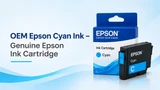
OEM Epson Cyan Ink – Genuine Epson Ink Cartridge
Cyan is one of the four primary colours used in colour inkjet printing. Along with magenta, yellow, …9th Nov 2026 -
YN156 OEM Dell – Genuine Printer Toner Cartridge
Printer toner is an essential office supply, but it is often overlooked until a cartridge starts run …2nd Nov 2026 -
HP Black High Yield InkJet – Long-Lasting Ink for Everyday Printing
Running out of black ink in the middle of an important printing job can be frustrating, especially w …29th Oct 2026