
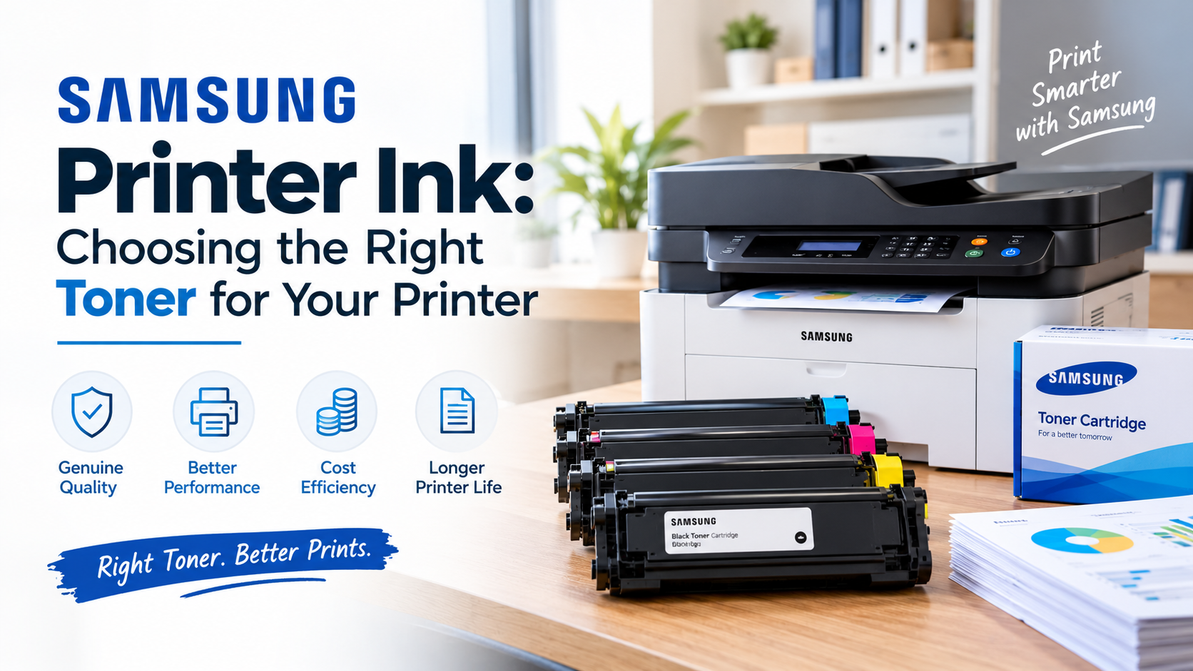
Samsung Printer Ink: Choosing the Right Toner for Your Printer
If your Samsung printer has suddenly started producing pale text, uneven graphics, or documents that don't look as sharp as they used to, the cartridge is an obvious place to look.
But there's a small terminology problem that can make shopping for a replacement more confusing than it needs to be.
People often search for "Samsung printer ink" when what they actually need is toner.
That's because most Samsung printers are laser printers, not traditional inkjet printers. Instead of liquid ink, they use toner cartridges to create text and images on paper.
So before ordering anything, the first question isn't which Samsung ink cartridge is cheapest. It's which toner cartridge does your particular Samsung printer actually use?
First, Figure Out Whether You Need Ink or Toner
Traditional inkjet printers use liquid ink cartridges. Laser printers use toner, a fine powder that is transferred to the page and fused during the printing process.
Samsung's printer lineup has largely consisted of laser and multifunction printers, so Samsung printer users are often looking for toner rather than conventional liquid ink.
That distinction matters when you're shopping online. Searching by the general term "Samsung printer ink" can bring up a wide range of products, while your printer may actually require a specific Samsung toner series.
The easiest solution is to start with the printer model.
Your Printer Model Is the Starting Point
There isn't one Samsung cartridge that works with every Samsung printer.
Different monochrome and color laser printers use different cartridge numbers, and even printers with similar features may require completely different supplies.
Before ordering, find the exact model number of your printer. Then check the cartridge number specified for that machine.
If you still have the old cartridge, its product number can be one of the easiest ways to identify the replacement you need. Your printer documentation is another useful source.
Why the Cartridge Matters More Than People Think
A toner cartridge isn't simply a container of powder that the printer happens to consume.
It works as part of the printer's imaging system, and consistent toner distribution is important for producing clean, readable documents.
For everyday office printing, that means text should remain clear and black areas should maintain consistent density. For a color laser printer, the different toner colors also need to work together properly to produce balanced output.
That becomes particularly noticeable when you're printing more than internal paperwork.
Invoices, customer documents, presentations, reports, forms, and other professional materials all benefit from consistent print quality.
A cartridge that produces uneven coverage can turn an otherwise perfectly functional printer into a source of frustration.
Standard Yield or High Yield?
This is one of those choices that depends almost entirely on how much you print.
If your Samsung printer handles a relatively small number of pages each month, a standard-yield cartridge may be all you need. There's little reason to pay for a larger-capacity cartridge if you won't use the additional toner for a long time.
High-yield cartridges make more sense for offices with heavier printing demands. Fewer cartridge changes can make printer management easier, particularly when several employees depend on the same machine.
There's one catch: advertised page yields are based on standardized testing conditions.
Your actual results can vary depending on what you're printing. A basic text document generally uses less toner than a page filled with large graphics, photographs, or heavy black areas.
So use the published yield as a comparison point, not as a promise that you'll get exactly that number of pages.
How to Tell When the Toner Is Running Low
Your printer will often give you a warning before the cartridge is completely empty, but print quality can also give you clues.
You might notice that:
- Text looks lighter than it normally does.
- Black graphics aren't as dark as before.
- Large filled areas look uneven.
- Color documents appear less balanced.
- Print density changes from one page to another.
- The printer displays a toner warning.
If these changes appear gradually across multiple documents, the cartridge may simply be reaching the end of its useful life.
But don't assume toner is responsible for every printing problem.
Persistent lines, repeated marks, streaks, hazy areas, or other unusual patterns can point to another part of the printer's imaging system. If a new cartridge doesn't resolve the issue, the printer may require additional inspection or maintenance.
Don't Wait Until You're Completely Out
One of the easiest ways to avoid an unnecessary interruption is to keep a replacement cartridge available for frequently used printers.
You don't need to build a warehouse of toner. One unopened replacement can be enough to keep an important office printer running when the installed cartridge finally reaches the end of its life.
Keep replacement cartridges in their original packaging until they're needed. Store them in a clean, dry environment and protect them from excessive heat, moisture, and direct sunlight.
When you're ready to install the cartridge, follow the printer manufacturer's instructions and handle the cartridge carefully.
A Better Way to Buy Samsung Printer Supplies
If your business uses more than one printer, shopping by brand alone becomes increasingly difficult.
You might have several Samsung printers in the office, but they may not all use the same toner. That's why keeping a simple record of each printer model and its corresponding cartridge number can make future purchases much easier.
Instead of searching for "Samsung toner" every time someone needs a replacement, you already know exactly what you're looking for.
It also reduces the chance of someone ordering a cartridge based on appearance or a similar product name that isn't actually compatible with the printer.
Why Businesses Should Care About Toner Quality
For occasional home printing, a minor difference in print quality may not matter much.
For a business, it can be another story.
Employees may print documents for customers, suppliers, schools, government agencies, or business partners. Faded text or uneven coverage can mean reprints, wasted paper, and time spent dealing with a problem that should have been simple.
The cartridge itself is only one part of your printing costs. The time and disruption caused by unreliable printing can be more significant.
That's why choosing the correct toner and purchasing it from a dependable supplier are both worth considering.
Samsung Printer Supplies From T3RS
T3RS provides printer supplies for businesses, offices, schools, and other organizations that depend on regular document production.
For Samsung printer users, the first step is always identifying the correct cartridge for the equipment you already have. T3RS offers printer supply options for different printing requirements rather than treating every Samsung printer as if it uses the same cartridge.
For businesses managing several printers, having commonly used supplies organized and available can also make routine purchasing easier.
FAQ
Does a Samsung printer use ink or toner?
Most Samsung laser printers use toner cartridges rather than traditional liquid ink. Check your exact printer model before ordering a replacement.
How do I find my Samsung printer's toner number?
Check the existing cartridge, printer documentation, or the information associated with your exact printer model. The cartridge number is the safest way to confirm compatibility.
Can I use the same Samsung toner cartridge in every Samsung printer?
No. Samsung printers use different cartridge series. Always match the toner to the specific printer model.
Should I choose standard or high-yield toner?
Standard yield can be suitable for lighter printing, while high-yield cartridges may be more convenient for offices that print frequently.
Why did my Samsung printer suddenly start producing faded pages?
Low toner is one possible cause. Other printer components can also affect print quality, especially if you notice repeated lines, marks, or other defects.
How should I store an unused Samsung toner cartridge?
Keep it in its original packaging in a clean, dry location away from excessive heat, moisture, and direct sunlight until you're ready to install it.
Get the Right Samsung Toner From T3RS
When your Samsung printer needs a new cartridge, don't start with the word "ink." Start with the printer.
Find the exact model, confirm the cartridge number, decide whether standard or high-yield makes sense for your workload, and then choose the cartridge that fits your requirements.
Getting those details right before ordering is much easier than dealing with an incompatible cartridge afterward.
T3RS provides printer supplies for businesses and organizations with ongoing printing needs. Check your Samsung printer model and cartridge number first, then choose the supply that fits your equipment and workload.
Recent Posts
-
Samsung Printer Ink: Choosing the Right Toner for Your Printer
If your Samsung printer has suddenly started producing pale text, uneven graphics, or documents that …20th Oct 2026 -
Dell Laser Printer Cartridges: How to Choose the Right Toner
At some point, every office using a Dell laser printer has to replace the toner. The printer may hav …18th Oct 2026 -
MFP M283fdw Toner – Compatible & Quality Cartridges
The HP Color LaserJet Pro MFP M283fdw is designed for offices that need more than basic printing. Th …14th Oct 2026