
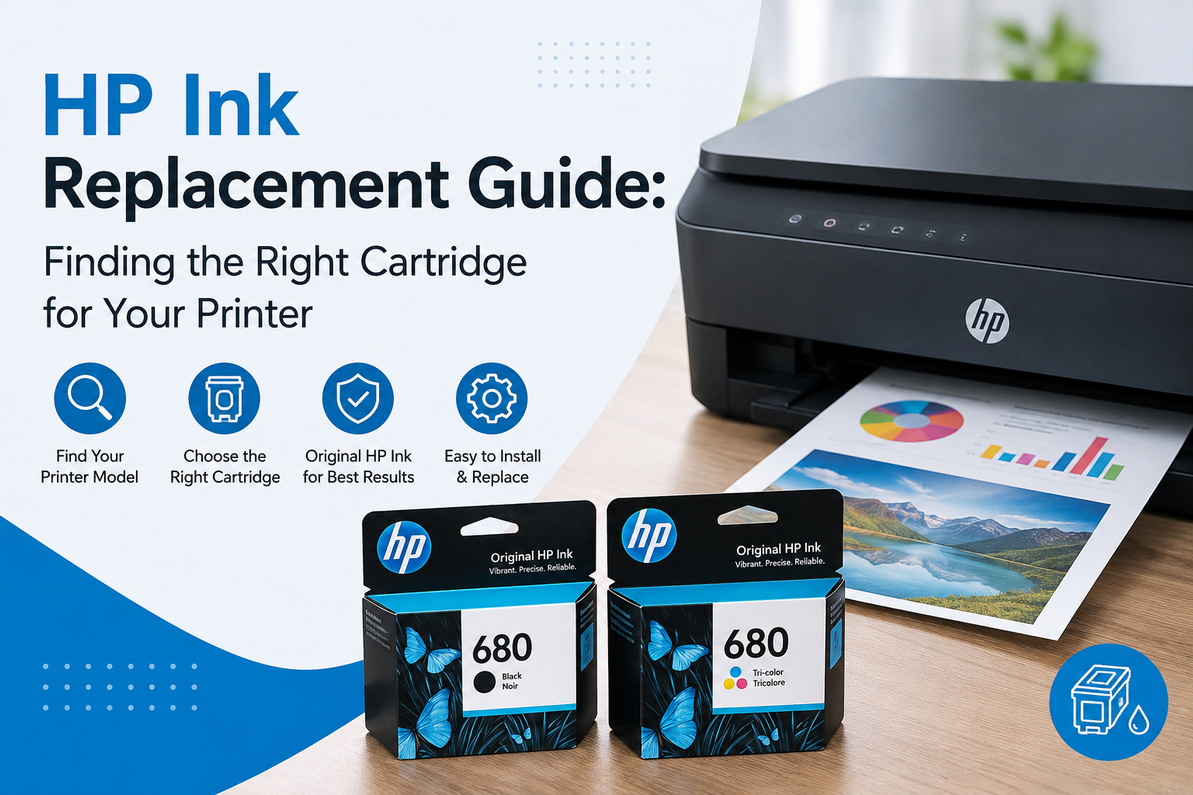
HP Ink Replacement Guide: Finding the Right Cartridge for Your Printer
Search "HP ink cartridge" and you'll get thousands of results before you've even typed your printer's name. That's the core problem with buying ink: HP has run dozens of numbering systems over the past twenty years, and a lot of those systems overlap on printers that look nearly identical. Buy by guesswork and there's a real chance the box that shows up doesn't fit.
This guide walks through how to actually find the right ink for your printer, using the HP Smart Tank Plus 651 as a working example, since it's one of the models people search for most and one of the easiest to get wrong.
Why "Just Search Your Printer Model" Doesn't Work
HP sells printers under a handful of different ink platforms: traditional cartridges (the kind with a chip and a nozzle you snap into place), Instant Ink subscriptions, and refillable ink tank systems like the Smart Tank line. Two printers with nearly identical model names can land on completely different platforms, and even within the same family, HP sometimes changes cartridge numbers between a "regular" model and a "Plus" or "XL" variant.
That's why the printer name alone isn't enough to shop by. What you actually need is the ink or toner part number, sometimes called the SKU, and that number is what determines fit.
Where to Find Your Exact Ink Number
Three places will tell you for certain:
The cartridge or bottle already in your printer. Every genuine HP ink product has its part number printed directly on it, usually on a sticker along the side.
The printer's ink or setup menu. Most HP printers with a touchscreen or companion app will list the exact supplies they take under a "supplies" or "ink levels" section.
HP's official support site. Searching your full model number on HP's support pages will pull up the supplies list HP itself publishes for that machine, which is the most reliable source when you don't have a cartridge in hand.
If you only have the printer's model name and nothing else, that's fine too. It's just worth confirming the number before you check out rather than after the box arrives.
A Real Example: HP Smart Tank Plus 651
The Smart Tank Plus 651 is a good case study because it doesn't use cartridges at all. It's an ink tank printer, which means the ink lives in refillable reservoirs inside the printer and you top them off with bottles instead of swapping out a sealed unit.
For the 651, that means two ink families:
HP 32XL Black (part number 1VV24AN) — rated for roughly 6,000 pages and used to refill the black tank.
HP 31 Cyan, Magenta, and Yellow (part numbers 1VU26AN, 1VU27AN, and 1VU28AN) — each rated for roughly 8,000 pages and used to refill their respective color tanks.
These same bottles also work across a wider family of HP ink tank printers, including the Smart Tank 5000, 5101, 6001, 7001, and 7301 series, along with the Smart Tank Plus 551 and 570. If you own any printer in that lineup, you're shopping for the same four bottles.
One thing worth knowing if you're new to ink tank printers: you're not replacing anything when a color runs low. You're pouring more in. The bottle has a nozzle designed to seat into the tank opening and stop automatically once it's full, so there's no measuring involved.
Standard Ink vs. High-Yield Ink
On tank-based printers, "high-yield" isn't really an upgrade tier the way it is with cartridges. The 32XL designation on the black ink is HP's standard bottle for this printer line, already sized for high-volume use, which is part of the appeal of ink tank printers in general. You're not choosing between a small bottle and a large one for the same color. You're buying the bottle that's built for your machine.
Where yield comparisons still matter is cost per page. A black bottle rated for 6,000 pages at a given price works out to a fraction of a cent per page once you divide it out, which is dramatically lower than what most cartridge-based inkjets cost to run. That's the entire selling point of the Smart Tank line, and it's worth confirming when you're deciding between an ink tank printer and a traditional one.
Buying the Right Bottle Without Guessing
The same rule applies here as with any printer supply: match the exact part number, not just the printer name. "HP 31" and "HP 32XL" are both correct for the Smart Tank Plus 651, but they're not interchangeable with each other, and a listing that just says "compatible with Smart Tank printers" without a specific number is worth a second look before you buy.
Stick to sellers who list the exact part number and confirm which printers it's built for. That matters even more with ink tank bottles than cartridges, since a bottle that doesn't seat correctly can overflow or introduce air into the print head, and that's a harder problem to walk back than a cartridge that simply doesn't print.
The Bottom Line
Buying the right HP ink comes down to one habit: match the part number, not the printer's marketing name. For the Smart Tank Plus 651 specifically, that means HP 32XL Black and HP 31 Cyan, Magenta, and Yellow. For any other HP printer, the same three lookup methods above will get you to the right number in under a minute.
HP ink for the Smart Tank Plus 651 and related Smart Tank models:· HP 31 Cyan — 1VU26AN · HP 31 Magenta — 1VU27AN · HP 31 Yellow — 1VU28AN
Frequently Asked Questions
Does the Smart Tank Plus 651 use cartridges or bottles?
Bottles. It's a refillable ink tank printer, so instead of snapping in a new cartridge, you pour ink from a bottle into the tank until it's full.
Can I use HP 31 ink in a different HP printer?
Only if that printer is built for the same ink platform. HP 31 and 32XL work across several Smart Tank models, but they won't fit cartridge-based inkjet or laser printers, which use entirely different supply systems.
How do I know if my printer takes ink or toner?
Ink tank and cartridge inkjets use liquid ink; laser printers use toner powder. If your printer has a visible tank you pour into, or takes small cartridge units that snap into place, it's inkjet. If it has a larger, boxier cartridge and prints noticeably faster, it's laser.
What happens if I use the wrong ink bottle in a Smart Tank printer?
In most cases the bottle's nozzle simply won't seat into the wrong tank opening, since HP designs the openings to match their corresponding ink color and bottle shape. Forcing it isn't worth the risk of a spill or contamination between colors.
Is it cheaper to run an ink tank printer than a cartridge printer?
Generally, yes, and by a wide margin over time. Ink tank systems are built around a much lower cost per page, which is why HP markets the Smart Tank line specifically toward households and offices that print often.
Recent Posts
-
YN156 OEM Dell – Genuine Printer Toner Cartridge
Printer toner is an essential office supply, but it is often overlooked until a cartridge starts run …2nd Nov 2026 -
HP Black High Yield InkJet – Long-Lasting Ink for Everyday Printing
Running out of black ink in the middle of an important printing job can be frustrating, especially w …29th Oct 2026 -
HP Color LaserJet Toner – Quality Toner Cartridges for Consistent Color Printing
Clear and consistent color printing is important for businesses, offices, schools, and organizations …25th Oct 2026