
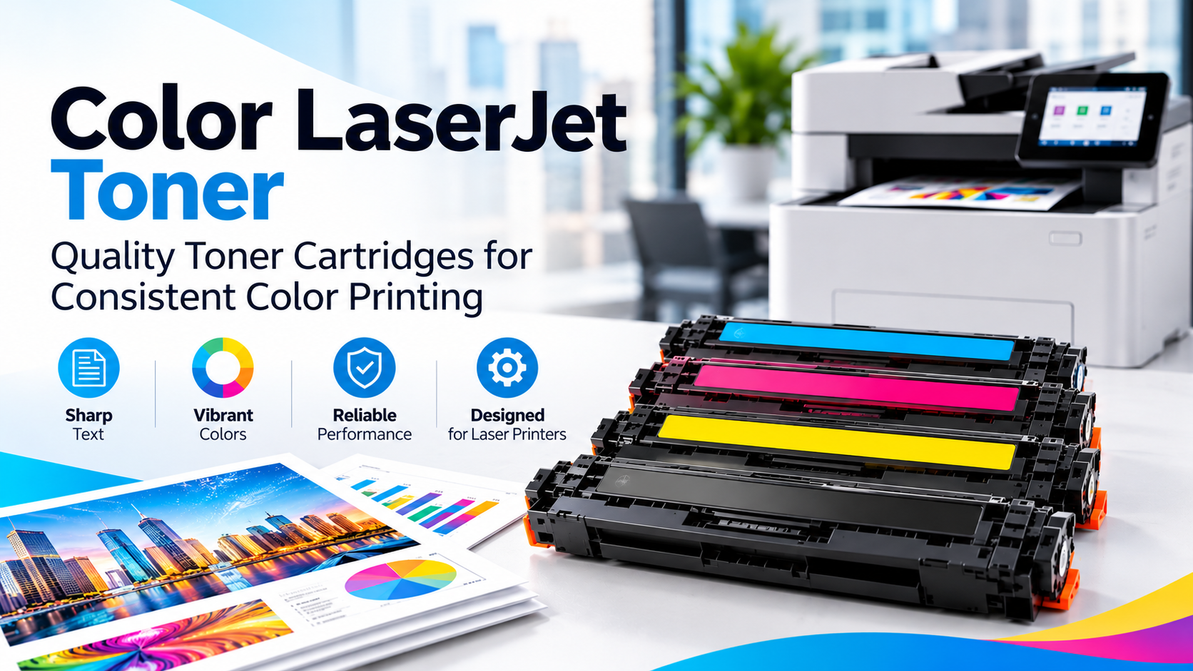
HP Color LaserJet Toner – Quality Toner Cartridges for Consistent Color Printing
Clear and consistent color printing is important for businesses, offices, schools, and organizations that regularly produce professional documents. Faded text, uneven colors, or inaccurate graphics can affect the overall appearance of reports, presentations, invoices, marketing materials, and customer documents.
For users of HP Color LaserJet printers, choosing the right HP Color LaserJet Toner is essential for maintaining reliable print quality and smooth day-to-day printing. The correct toner cartridge can help produce sharp text, vibrant colors, and consistent results across different types of documents.
Whether you print business reports, brochures, presentations, invoices, product information, or other professional materials, selecting a toner cartridge that matches your specific HP printer model is an important first step.
Four Toners Work Together in a color Laser Printer
Unlike monochrome laser printers that generally use only black toner, most color laser printers use four individual toner cartridges:
- Black (K)
- Cyan (C)
- Magenta (M)
- Yellow (Y)
These four colors work together to create a wide range of colors on the printed page.
Black toner is primarily responsible for text, outlines, and darker elements, while cyan, magenta, and yellow combine to produce different colors used in photographs, graphics, logos, charts, and other visual content.
Because each color is stored in a separate cartridge, you generally do not need to replace the entire set when only one cartridge is running low. Your printer will normally indicate which cartridge needs to be replaced.
Start With Your Exact HP Printer Model
There is no single toner cartridge that works with every HP Color LaserJet printer. HP has produced numerous Color LaserJet models and printer families, each with specific cartridge requirements.
Before purchasing HP Color LaserJet Toner, identify your exact printer model and check the recommended toner cartridge number.
You can usually find your printer model in one of the following places:
- On the front or top of the printer
- On a label attached to the printer
- On the printer's control panel
- In your computer's printer settings
- On the existing toner cartridge or its packaging
- In your printer's user manual
Checking the exact model and cartridge number before ordering helps reduce the risk of purchasing an incompatible product.
For example, two HP Color LaserJet printers may look similar but require completely different toner cartridges. Therefore, simply searching for an “HP compatible toner” may not be enough. Always verify compatibility with your specific printer model.
Signs That Your Toner May Need Replacement
Changes in print quality can sometimes indicate that one or more toner cartridges are running low.
Common signs include:
Faded colors
Large colored areas may appear lighter than usual, and printed graphics may lose their original intensity.
Uneven Print Coverage
Solid graphics, images, or colored sections may appear inconsistent, with some areas looking lighter than others.
Changes in color Accuracy
When one toner color becomes low, the balance between cyan, magenta, yellow, and black can change. As a result, mixed colors may not appear as expected.
Low-Toner Alerts
Many HP Color LaserJet printers display a notification when a toner cartridge is running low or needs replacement.
Faded Black Text
If the black toner cartridge is low, text and dark graphics may appear lighter or less defined.
However, not every print-quality problem is caused by toner. Printer calibration, paper quality, print settings, imaging components, and other maintenance issues can also affect the final output.
If replacing the toner does not resolve the issue, checking the printer's maintenance and calibration options may be helpful.
OEM and Compatible HP Toner Options
When purchasing HP Color LaserJet Toner, customers may come across both original equipment manufacturer (OEM) cartridges and compatible toner cartridges.
OEM cartridges are manufactured for the printer brand and are designed according to the manufacturer's specifications. They can be a suitable option for businesses that prefer to use the manufacturer's recommended consumables.
Compatible toner cartridges are produced by third-party manufacturers for use with specific printer models. They can provide an alternative for customers who are looking for cost-effective printing solutions.
Regardless of which option you choose, compatibility should be the first consideration. A toner cartridge should be specifically designed for your HP Color LaserJet model rather than being selected only because it is described as “HP compatible.”
Checking the printer model and cartridge number before purchasing can help ensure the toner is suitable for your equipment.
Page Yield Is More Than Just a Number
Toner packaging usually includes an estimated page yield. This indicates approximately how many pages the cartridge can print under standardized testing conditions.
However, actual page yield can vary depending on what you print.
A document containing mostly standard black text generally uses less toner than a brochure, photograph, presentation, or graphic-heavy document with extensive color coverage.
For businesses with high printing volumes, comparing page yields can be useful when evaluating different toner options. However, page yield should not be the only factor considered.
Think about your typical printing requirements, the amount of color coverage in your documents, and how frequently your business uses the printer.
How to Maintain Consistent color Printing
Choosing the correct HP Color LaserJet Toner is an important part of maintaining print quality, but other factors can also affect your printer's performance.
For better and more consistent results:
- Use paper recommended for your printer and document type.
- Follow the manufacturer's installation instructions when replacing toner.
- Keep the printer in a suitable environment.
- Avoid excessive heat, humidity, and direct sunlight.
- Store unused toner cartridges in their original packaging.
- Follow the printer manufacturer's maintenance recommendations.
- Use the printer's calibration or color adjustment features when required.
If colors appear inaccurate after installing a new cartridge, check the printer's settings and calibration options before assuming that the toner cartridge is defective.
Regular maintenance can also help support reliable printer performance and reduce unnecessary interruptions.
Why Reliable Toner Matters in the Office
For many businesses, printed documents represent an important part of everyday communication. Reports, proposals, invoices, brochures, presentations, product information, and customer documents all need to look professional and readable.
Reliable HP Color LaserJet Toner can help maintain consistent text and color output, reducing the chances of repeated printing caused by poor-quality results.
For offices with multiple employees using the same printer, keeping commonly used toner cartridges available can also help minimize downtime. Running out of a frequently used color at an important moment can interrupt normal business operations, particularly when color printing is required for client presentations or time-sensitive documents.
Maintaining an appropriate supply of replacement toner can therefore be a practical part of office printing management.
HP Color LaserJet Toner From T3RS
T3RS provides printing consumables for businesses, offices, schools, and organizations with regular printing requirements.
For customers looking for HP Color LaserJet Toner, identifying the exact printer model and compatible cartridge number before placing an order is essential. This simple step can help ensure that the selected toner is suitable for the printer and reduce the risk of purchasing the wrong cartridge.
If your organization relies on regular color printing, keeping compatible replacement cartridges readily available can also help minimize unexpected interruptions and maintain a smoother printing workflow.
Whether you need toner for everyday office documents, professional presentations, reports, or other color printing requirements, selecting the right cartridge for your HP Color LaserJet printer can make a significant difference to printing consistency and convenience.
Frequently Asked Questions
Does an HP Color LaserJet printer use four toner cartridges?
Many HP Color LaserJet printers use four separate toner cartridges: black, cyan, magenta, and yellow. However, the exact configuration depends on the specific printer model.
How do I know which HP toner cartridge I need?
Check the exact model number of your HP Color LaserJet printer and match it with the toner cartridge number recommended for that model. You can usually find this information on the printer, in the printer settings, user manual, or existing cartridge packaging.
Do I need to replace all four toner cartridges at the same time?
No. If only one color cartridge is depleted, you generally only need to replace the cartridge identified by the printer. The other cartridges can continue to be used until they also require replacement.
Why does my HP Color LaserJet printer produce faded colors?
Faded colors can be caused by low toner, but other factors may also contribute, including paper quality, printer settings, calibration, or other printer components. Check the printer's maintenance and calibration options if replacing toner does not solve the issue.
Are compatible HP Color LaserJet toner cartridges available?
Yes, compatible toner cartridges are available for many HP Color LaserJet models. However, compatibility varies by printer, so always check that the cartridge is specifically designed for your exact model.
Does higher-yield toner print more pages?
Higher-yield cartridges are designed to provide a greater estimated page capacity under standardized testing conditions. Actual page yield can vary depending on document type, color coverage, printing frequency, and other factors.
Keep Your HP Color LaserJet Ready for Business
A reliable color laser printer can play an important role in everyday business operations, and the right toner cartridge helps support consistent printing performance.
From routine reports and invoices to presentations, brochures, and customer-facing documents, using the appropriate HP Color LaserJet Toner can help maintain clear text and consistent color output.
Before ordering, always check your printer model and the required cartridge number. For businesses with regular printing needs, keeping frequently used toner cartridges available can also help reduce unexpected downtime.
Explore HP Color LaserJet Toner from T3RS and choose the right toner cartridge for your specific printing requirements.
Recent Posts
-
HP Color LaserJet Toner – Quality Toner Cartridges for Consistent Color Printing
Clear and consistent color printing is important for businesses, offices, schools, and organizations …25th Oct 2026 -
Samsung Printer Ink: Choosing the Right Toner for Your Printer
If your Samsung printer has suddenly started producing pale text, uneven graphics, or documents that …20th Oct 2026 -
Dell Laser Printer Cartridges: How to Choose the Right Toner
At some point, every office using a Dell laser printer has to replace the toner. The printer may hav …18th Oct 2026