
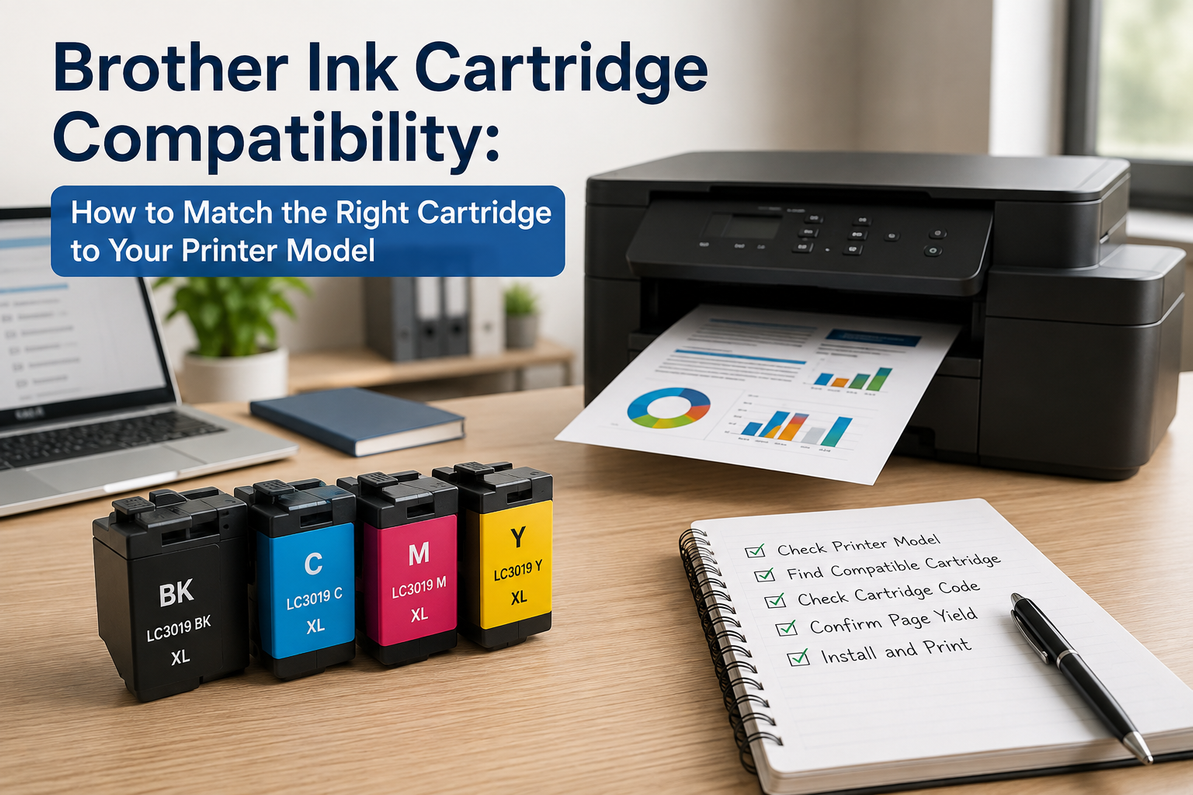
Brother Ink Cartridge Compatibility: How to Match the Right Cartridge to Your Printer Model
If you've ever opened a box of ink cartridges only to find they don't fit your Brother printer, you're not alone. It's one of the most common returns in the printer supplies category, and it usually comes down to one simple mistake: shopping by printer name instead of by cartridge number.
Brother makes an enormous range of printers, and a lot of them look nearly identical from across the room. A DCP model sitting next to an MFC model might share a color scheme and a similar body, but that doesn't mean they take the same ink. Even two printers with almost the same model number, say a DCP-T720DW and a DCP-T820DW, can differ enough that a cartridge built for one won't work properly in the other.
The good news is that once you know what to check, buying the correct cartridge takes about two minutes. Here's how to get it right the first time.
Start With the Exact Printer Model
Before you look at ink at all, confirm exactly which printer you own. The full model number is usually printed on the front panel, on a sticker on the back of the unit, inside the cover near the cartridge bay, or on the box it came in if you still have it.
Brother model names typically follow a pattern like DCP-T520W, DCP-L2541DW, MFC-J2340DW, MFC-L3750CDW, or HL-L2321D. The letters at the front tell you the printer category (DCP, MFC, HL), and the numbers and letters after that narrow it down to a specific configuration. Don't guess from memory here. Printers that look almost the same on a shelf, like the T720DW and T820DW mentioned above, can use different maintenance parts even when they share the same ink refill bottles, so it's worth actually walking over and reading the label rather than assuming.
The Cartridge Number Matters More Than the Printer Name
Once you know your printer, the next step is figuring out which cartridge family it uses. Brother groups its ink into several series, and the printer name alone won't tell you which one applies. The cartridge code will.
A few of the more common ink series include:
- LC3217, used in select Brother MFC inkjet printers, with LC3217BK, LC3217C, LC3217M, and LC3217Y covering black and the three colors.
- LC3617, found in a number of Brother inkjet business printers, again available in black, cyan, magenta, and yellow.
- LC3717, built for newer multifunction printers and generally offering a higher page yield than the two series above.
These numbers look close enough to confuse people constantly, but LC3217 and LC3617 cartridges are not interchangeable, even though they're only a digit apart. If your printer currently has an LC3217BK installed, the replacement you order needs to say LC3217BK, not LC3617BK or LC3717BK. One wrong digit is enough to get a cartridge that simply won't be recognized.
There's also a separate category worth knowing about: Brother's InkBenefit Tank printers. Instead of cartridges, models like the T220XL120, T410520, T520W, T720DW, and T820DW use refill bottles such as BTD60BK for black and the BT5000 series for cyan, magenta, and yellow. If you own one of these printers, you're not buying cartridges at all, you're refilling a tank directly, and the bottles are specific to these tank-based models only.
Don't Confuse Ink Printers With Laser Printers
This trips up more people than you'd expect. Brother sells both inkjet printers and laser printers, and the two use completely different supplies. Models like the HL-L3270CDW and MFC-L3750CDW are color laser printers that need toner cartridges, not ink. Mono laser models such as the HL-L2321D, DCP-L2541DW, and MFC-L2710DW need toner and a separate drum unit.
If your printer has "L" in the name and falls into one of these laser series, ordering ink cartridges for it is a wasted purchase no matter how close the model number looks to an inkjet counterpart. Toner and ink are not interchangeable technologies, so this is worth double-checking before you buy.
Standard Yield or High Yield: Which One Do You Need
Most Brother cartridge families come in two versions, standard yield and high yield (often labeled XL). The choice comes down to how much you print and how often you're willing to stop and swap cartridges.
Standard yield cartridges cost less upfront but run out sooner, which makes them a reasonable fit for home use, students, or anyone printing only occasionally. High-yield cartridges cost more per cartridge but typically work out cheaper per page, since you're getting significantly more printed pages out of each one. For an office, a classroom, or any setup that prints daily, high yield usually pays for itself within the first cartridge or two simply because you're not buying replacements as often.
If your printer model supports XL cartridges, it's worth the extra cost for anything beyond light, occasional printing.
Original vs. Compatible Cartridges
Once you know the exact cartridge code and yield you need, you'll typically have a choice between original Brother cartridges and compatible ones made by third-party manufacturers.
Original cartridges guarantee compatibility, tend to be more consistent on print quality, and come with full manufacturer support, though you'll pay more for that. Compatible cartridges from a reputable supplier can be a solid choice too, often at a noticeably lower price, and plenty of people run them daily without issues. The key is buying from a seller who actually lists the specific printer models and cartridge code the product fits, rather than a generic listing that just says "compatible ink" with no real detail. Extremely cheap, no-name cartridges are where most of the recognition errors and inconsistent print quality tend to show up, so it's worth being a little skeptical of the lowest price in the search results.
The Mistakes That Cause Most Returns
A handful of buying habits account for the vast majority of wrong-cartridge orders:
Shopping by the printer's color or general appearance instead of the model number. Two Brother printers can look identical and use completely different ink.
Ignoring the last digit or letter on the cartridge code. LC61C, LC61M, and LC02Y are all real, current series, and mixing them up is the single most common error.
Assuming every Brother printer takes ink. A good portion of Brother's lineup is laser, and those need toner instead.
Buying the cheapest listing available without checking whether it actually names your printer model. It's not that all budget cartridges are bad, it's that the ones without any real compatibility information are a gamble.
A Quick Checklist Before You Order
Before you hit "buy," it helps to run through this once:
Confirm the full printer model number from the unit itself, not from memory. Pull the current cartridge and note the exact code printed on it. Decide whether you need standard or high yield based on how much you print. Check that the listing you're buying specifically names your printer model. Buy from a supplier who stands behind what they're selling.
That's the whole process, and it takes less time than it took to read this section.
When It's Actually Time to Replace
Brother printers will usually warn you before a cartridge is fully dry, with messages like "Low Ink," "Replace Ink," or "Cannot Detect Cartridge." If you're seeing faded text, streaking, missing lines, or blank patches on the page before any warning appears, that's also a sign the cartridge needs attention. It's generally better to replace a cartridge once quality starts slipping rather than running it completely dry, especially if you're printing anything client-facing or business-critical.
The Bottom Line
Brother's printer lineup is wide, and a lot of models that look similar on the outside run on completely different ink. The safest way to avoid ordering the wrong cartridge is to check two things: the exact printer model, and the exact cartridge code currently installed. Whether that means LC3217, LC3617, LC3717, or an InkBenefit Tank refill bottle like BTD60BK or BT5000, matching the precise code is what actually determines whether the cartridge will work, not how closely the numbers resemble each other.
A minute spent double-checking before you order can save you a return shipment, a wasted printer session, and the annoyance of a blinking "Incompatible Cartridge" light.
If you already know your cartridge code, here are a few commonly needed Brother cartridges to check against your printer model:
- LC03BC – Black/Cyan ink for the Brother MP-21C and MP-21CDX
- LC61Y – Yellow ink for the Brother MFC-6490CW
- LC61BK – Black ink for the Brother MFC-6940CW
- LC11BK – Black ink for the Brother MFC-7050C
- LC401C – Cyan ink for the Brother MFC-J1010DW, J1012DW, and J1170DW
- LC203BK – High-yield black ink for the Brother MFC-J4320DW
Frequently Asked Questions
Can I use any Brother ink cartridge in my Brother printer?
No. Each Brother printer is built for a specific cartridge family. Always confirm your printer model and the cartridge code before ordering.
How do I know which Brother ink cartridge I need?
Open the printer and check the code printed on the cartridge that's already installed. That code is what you should match exactly when buying a replacement.
What's the difference between standard and high-yield Brother cartridges?
High-yield cartridges hold more ink and print considerably more pages before running out. They cost more to buy initially but usually come out cheaper per page over time.
Do Brother InkBenefit Tank printers use cartridges?
No. Tank models use refill bottles like the BTD60BK and BT5000 series instead of traditional cartridges.
Why does my printer say "Cannot Detect Cartridge"?
This usually means the wrong cartridge was installed, it isn't seated properly, the protective seal is still on, or the chip isn't being read correctly. Double-check the cartridge code and reseat it carefully before assuming it's defective.
Recent Posts
-
YN156 OEM Dell – Genuine Printer Toner Cartridge
Printer toner is an essential office supply, but it is often overlooked until a cartridge starts run …2nd Nov 2026 -
HP Black High Yield InkJet – Long-Lasting Ink for Everyday Printing
Running out of black ink in the middle of an important printing job can be frustrating, especially w …29th Oct 2026 -
HP Color LaserJet Toner – Quality Toner Cartridges for Consistent Color Printing
Clear and consistent color printing is important for businesses, offices, schools, and organizations …25th Oct 2026